Reviews
Description
Game Introduction
Code Sandbox Puzzle Game is an interactive simulation that brings creative coding concepts to life. It offers a unique educational experience where players can run and control projects in a layered environment, providing a hands-on approach to understanding programming logic and project flow. The core feature is its innovative project-in-project system, which makes abstract programming concepts tangible and easy to grasp. Designed as a safe, educational space, it is suitable for beginners and experienced users alike to prototype logic, simulate interactions, and test project structures visually.
How to Play
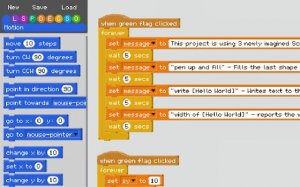
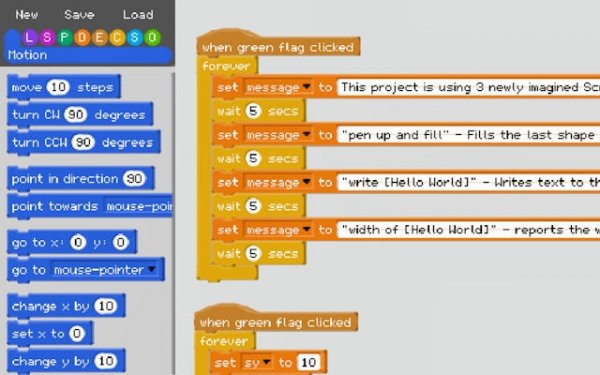
Players typically start by clicking a prominent green flag to initiate the project-in-project simulation. This runs a project within the current project, creating a dynamic nested environment. Clicking the flag again stops the simulation and regains control. To create custom blocks, players use an intuitive bracket-based syntax: enclose string inputs in [square brackets], number inputs in (round brackets), and boolean inputs in {curly brackets}. The text inside becomes the input label, making blocks clear and functional. Experimenting with different inputs shows how code interacts in real time.
Game Features
Safe educational sandbox environment. Project-in-project simulation for layered learning. Custom block creation with simple bracket syntax. Visual feedback on code interactions. No downloads required, runs in browser. The game turns coding into a visual puzzle, helping players understand programming concepts without pressure. The nested simulation makes abstract ideas concrete, ideal for building logic skills in a playful environment.
Tips for Success
To get the most out of Code Sandbox Puzzle Game, start by experimenting with simple inputs to understand how the bracket syntax works. Practice creating custom blocks with different input types to see how they affect the simulation. Use the project-in-project feature to build layered logic, testing each layer separately before combining them. Regularly run and stop simulations, observing how changes impact the flow. This hands-on approach will deepen your understanding of programming concepts and improve your problem-solving skills.